How Sonic Grid is organized
Sonic Grid has two halves. One is for listening and reading: the feed, and everyone’s tracks, posts and sites. The other is the dashboard, where you make your own. You move between them all the time, so it helps to know which one you are in.
Listening and reading
These pages share a rail down the left side. It is the same on every one of them, and it is how you get back to the dashboard.
| Home | The feed: what the people you follow, and everyone else, have published. |
| Listen | A room that plays picked public tracks, one after another. |
| Explore | Browse people and their work. |
| Spaces | Group conversations around a subject. |
| Create | Start a post, track, video or collection. |
| Library | What you have saved. |
| Activity | Likes, comments, follows and messages about you and your work. |
| Jam | The chat that can find, make and change things for you. |
| Dashboard | Your own work. |
The dashboard
The dashboard has no rail. Everything is reached from one menu at the top left, which shows the name of the page you are on.
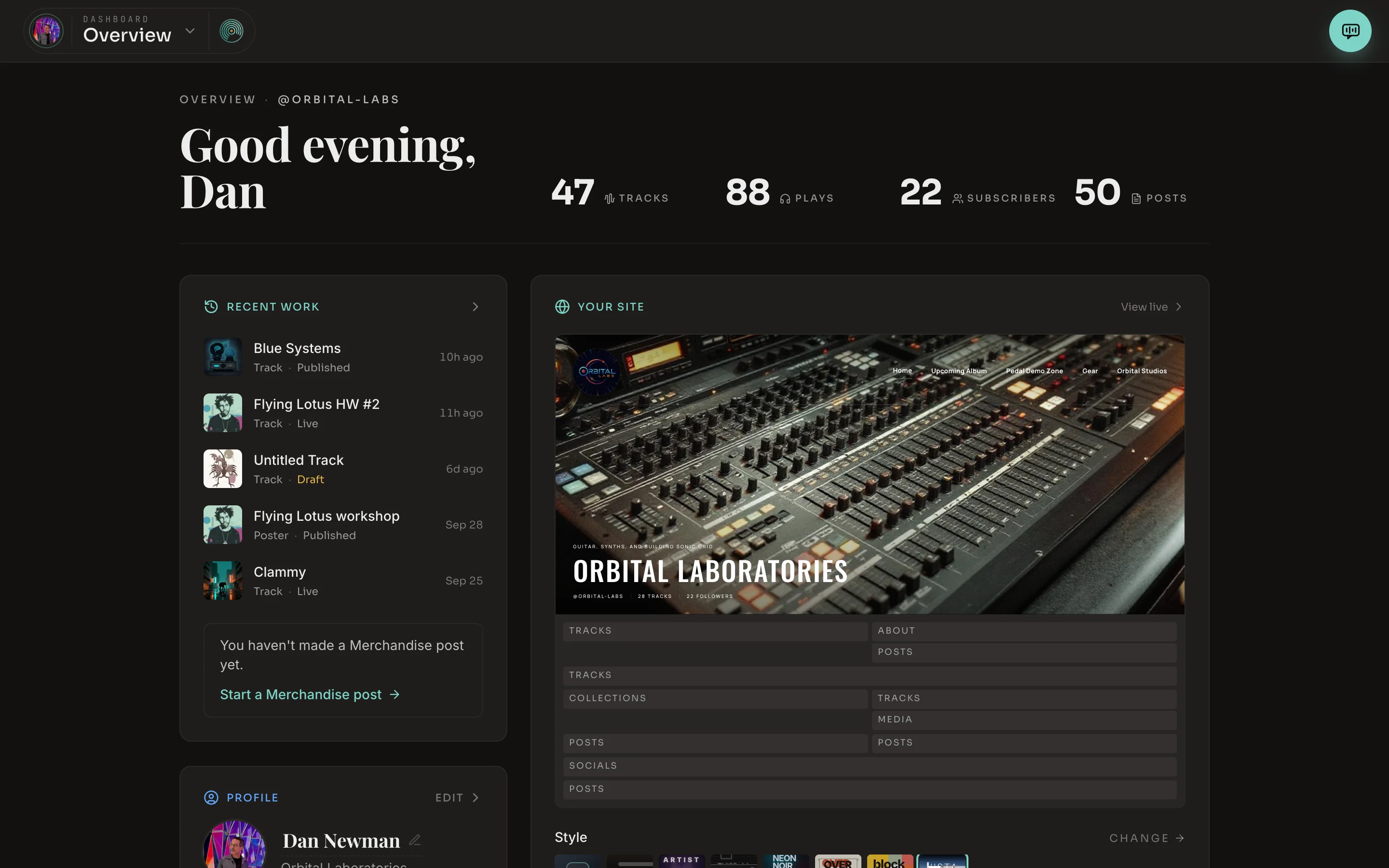
- 1Dashboard menu. Shows where you are. Click it to go anywhere else in the dashboard.
- 2Jam. Opens Jam beside whatever you are doing, without leaving the page.
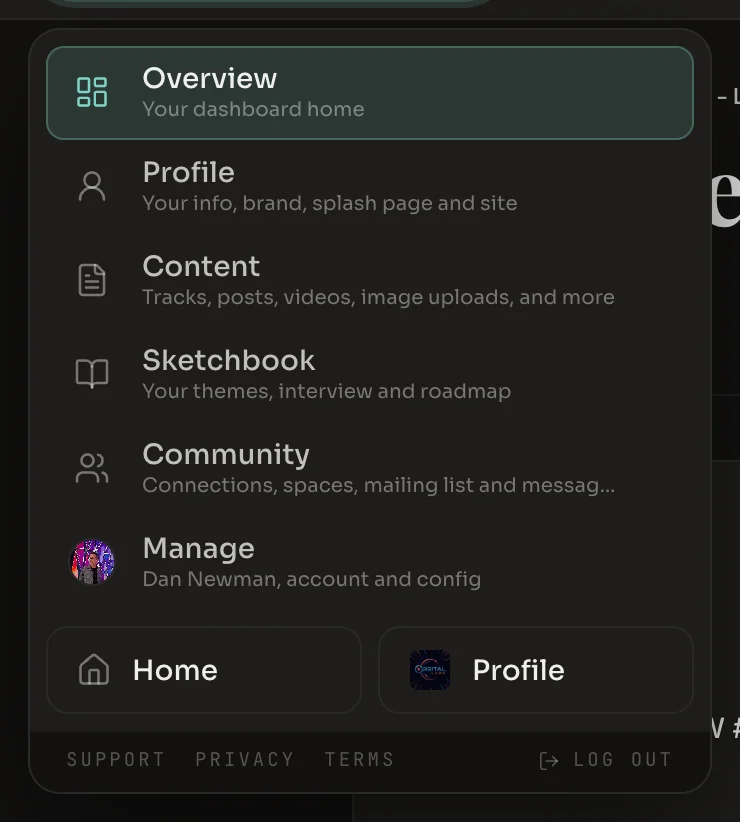
Each area in the menu has its own tabs, which appear along the top bar once you are in it.
| Overview | Your numbers, your recent work and a preview of your site. | |
| Profile | Profile, Brand, Splash, Site | How you appear to other people: your details, your look, your landing page and your site. |
| Content | Content, Media, Import | Everything you have made, the files behind it, and bringing in work from elsewhere. |
| Sketchbook | Sketchbook, Book, Themes, Recordings, Roadmap | The interview, what you said in it, and the themes drawn from it. |
| Community | Community, Spaces, Mailing List, Messages | The people connected to you and how you reach them. |
| Manage | Account, Payments, Metrics, MCP | Your account, plan and settings. |
What you can make
Create offers four things. Each opens in its own editor, and each has a publish state that decides who can see it.
| Track | A song with pictures laid along it. Made in the track editor. |
| Post | A poster, a piece of writing, an event, a gallery, merchandise or gear. |
| Video | A video post, or a motion graphic you build and export. |
| Collection | A playlist, an album or a zine that gathers tracks and posts. |
Whatever you make shows up under Content in the dashboard. Whether anyone else can see it depends on its state, which is the subject of the next page.
In this manual
Not written yet
These parts of Sonic Grid work today. Their pages are still to come.
- Collections. Playlists, albums and zines, and how tracks get into them.
- Sketchbook. The interview, the book, themes and recordings.
- Media. The media library and making images and video.
- Brand and splash. Your look, your logo and your landing page.
- Community. Connections, spaces, the mailing list and messages.
- Listening. The feed, the player, Listen, Explore and your library.